Free for Chrome, Edge and Brave

Know the real price before you buy.

HAULS shows a product's price history, tells you whether to buy or wait, and compares grocery prices for your exact pincode.

Price history and verdicts need no account. Sign in with Google to save a watchlist and get alerts. Works on Amazon.in, Flipkart, Myntra, Croma and more.

Latest version: 1.21.6

amazon.in
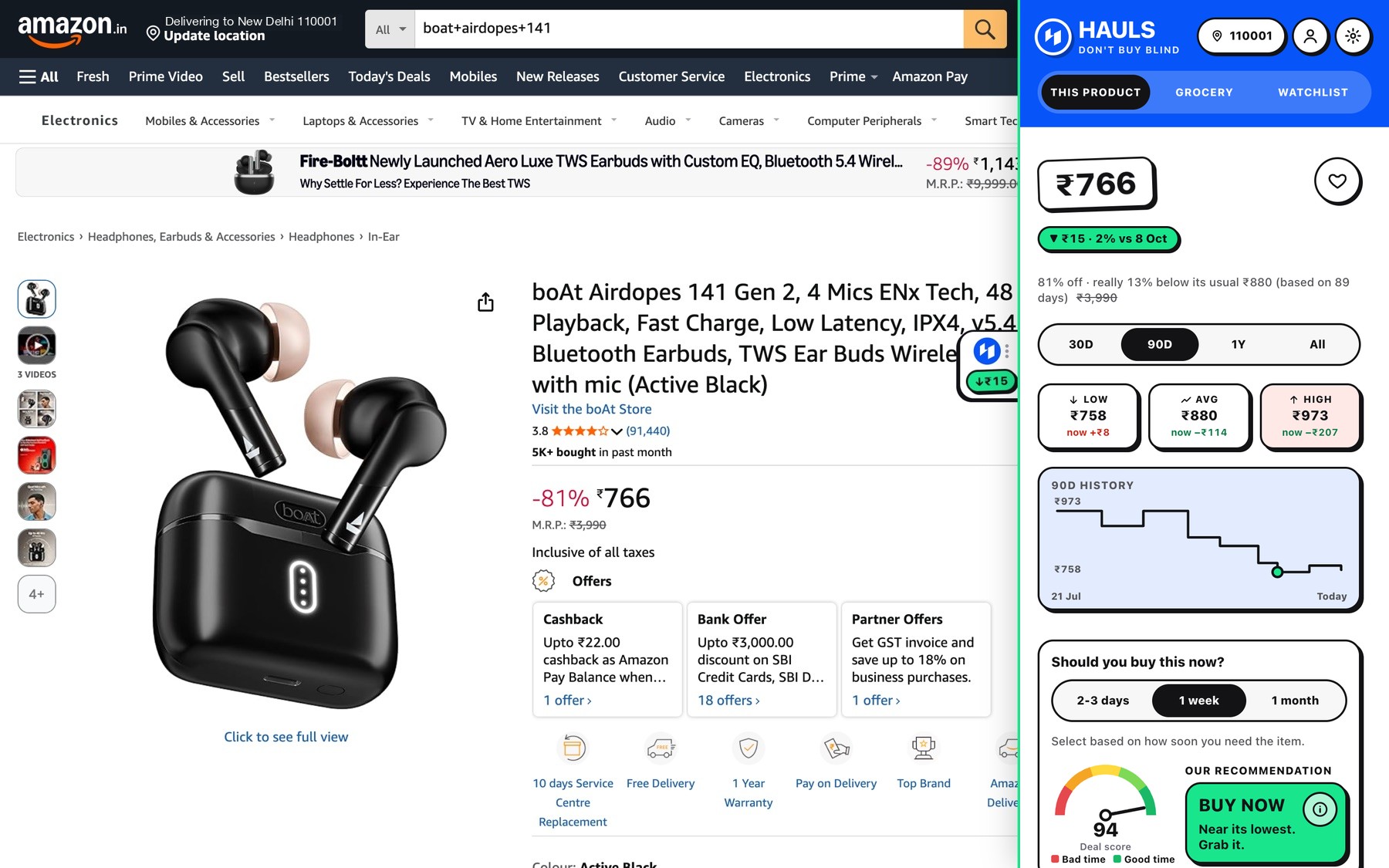
HAULS panel open on an Amazon.in product page showing the price, a history chart and a Buy verdict

Sample product and sample history, shown for a New Delhi pincode. A new install builds real history as you browse.

Stays in your browserUnless you sign in and choose to share.
FreeNo payment, no ads.
Chrome, Edge, BraveAny Chromium browser on a computer.
Built for IndiaRupees, pincodes, Indian stores.
What you get

Everything you need before you click Buy.

Buy or wait

Should you buy it now?

Say how soon you need it. A fair price is a yes for 2-3 days and a wait if you have a month.
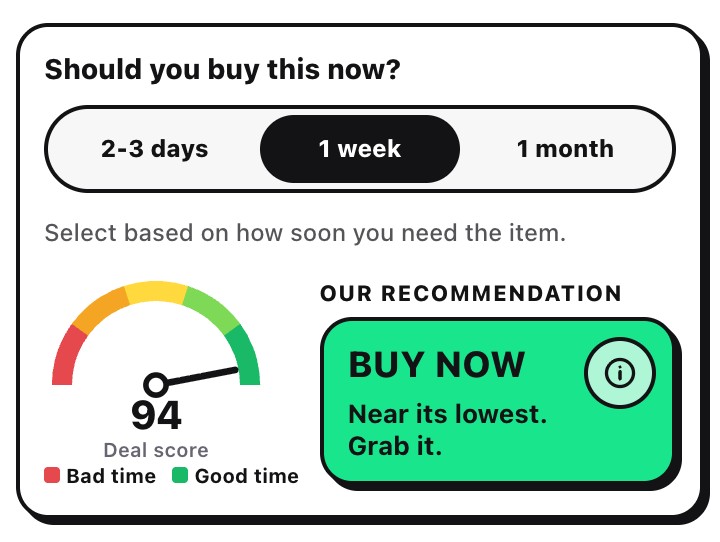
The Should you buy this now card with 2-3 days, 1 week and 1 month choices and a Buy now recommendation
Deal Scanner

A score you can check

Five checks, out of 100, so a fake sale cannot hide.
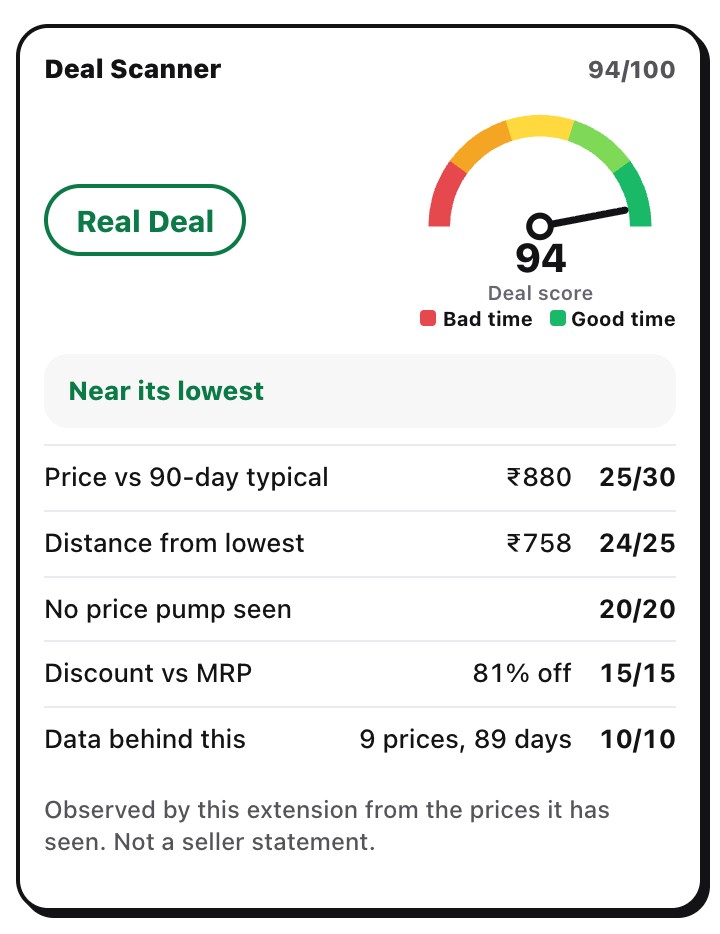
Deal Scanner showing a 94 out of 100 Real Deal with five scored checks
Price history

The real price history

30 days to a year. "81% off" is checked against what it really sold for.
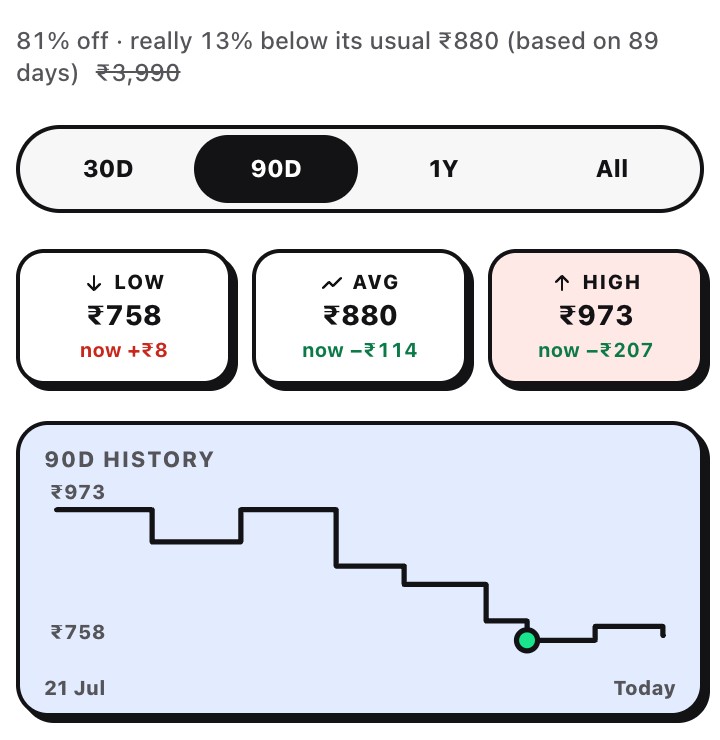
Price history chart with low, average and high and an honest discount line
Alerts

Name your price

Get a notification when it drops, and an email too if you turn that on. Click it to open the product.
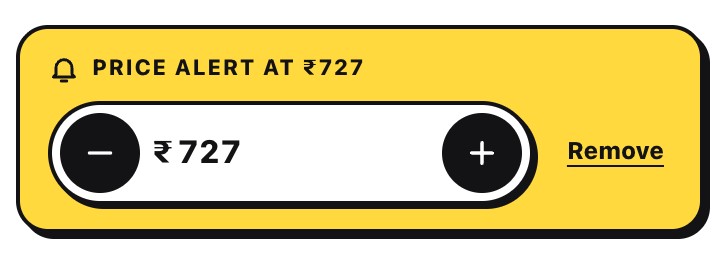
Set price alert card with a price stepper
The seller

Who is selling it

Seller, who ships it and what buyers say, in one neutral card.
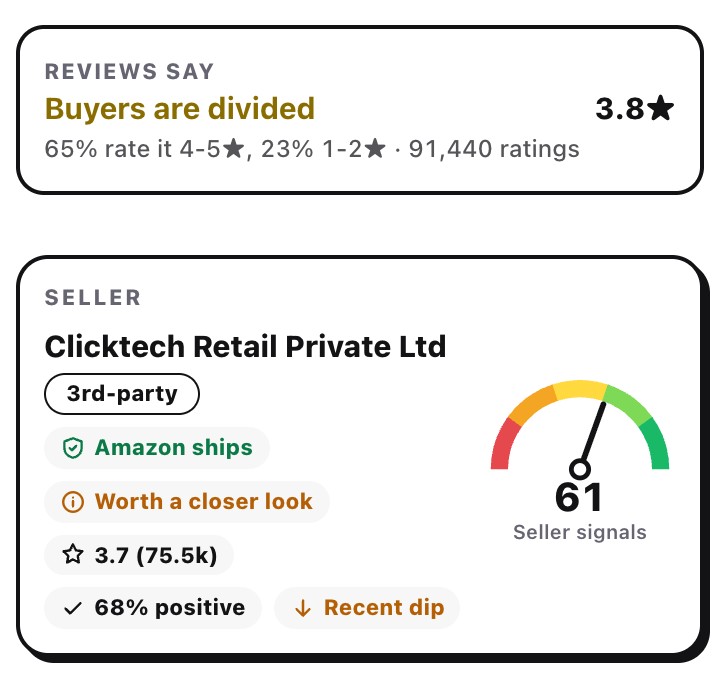
Seller card with shipping and buyer review summary
Grocery

Cheapest, at your pincode

Only stores that deliver to you show a price. Cheapest is marked.
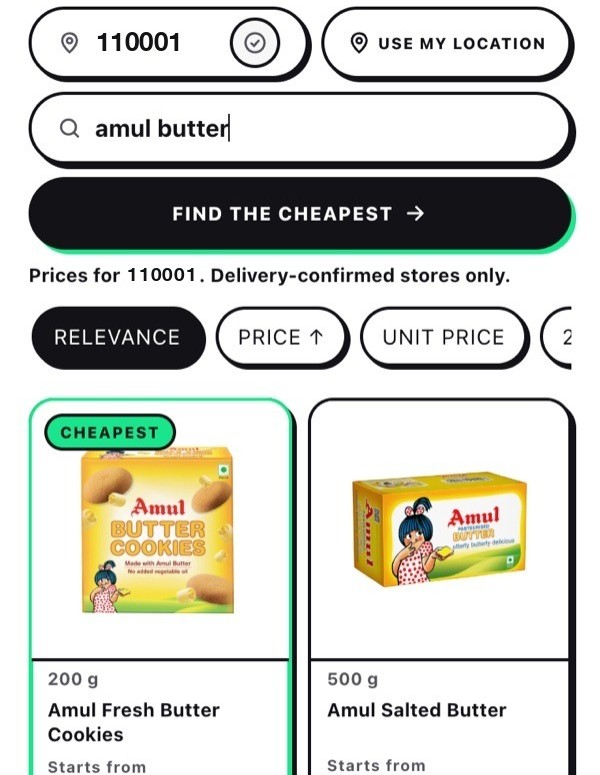
Grocery search results for a New Delhi pincode
Compare

Check other stores

One tap to see Flipkart, Croma, Reliance Digital, Tata CLiQ and more.
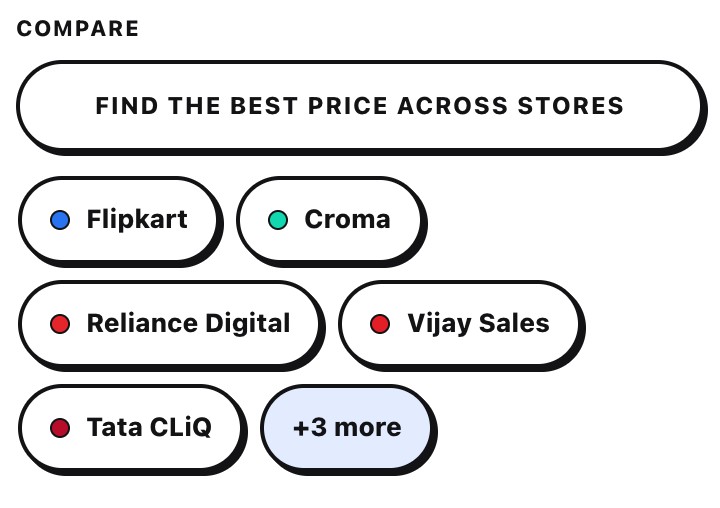
Compare across stores buttons
Watchlist

Everything you are watching

Each item with its alert price, in one list.
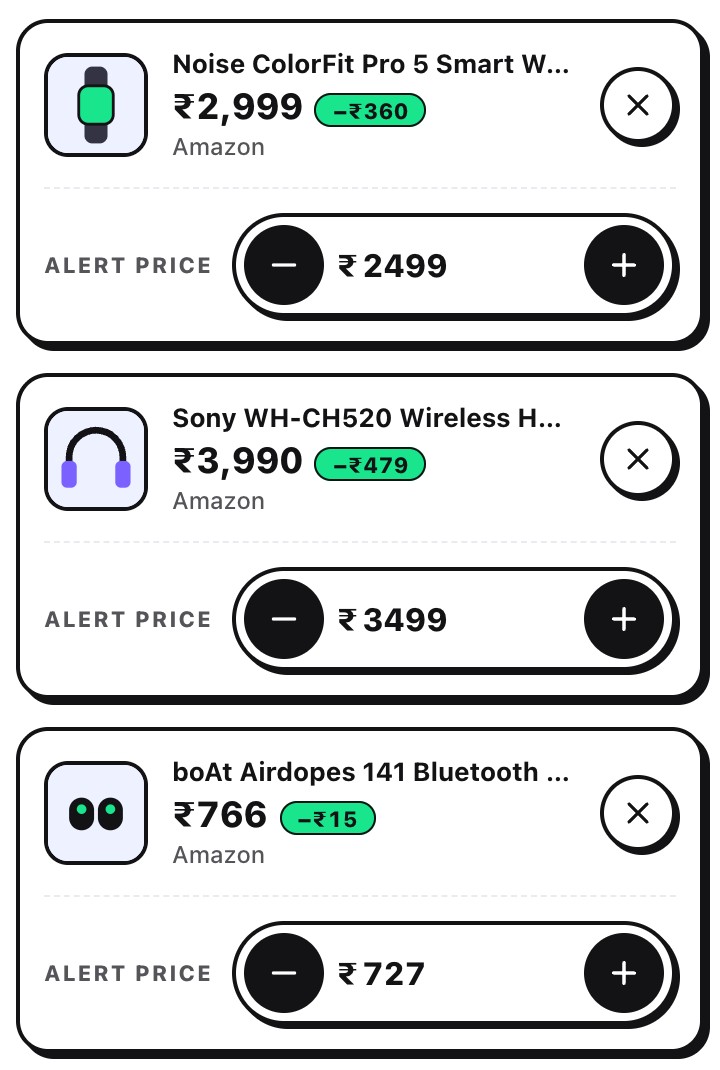
Watchlist with three items and alert prices

Your data

Everything stays in your browser unless you sign in and choose to share prices. Nothing is sold.

Delete means delete

Remove an item and it is purged from our servers after 24 hours.

Open and checkable

The source is on GitHub and every download has a checksum you can verify.

Install

Ready in a minute.

No store needed. Works on a computer with Chrome, Edge or Brave.

  1. Download the zip and unzip it into a folder you'll keep.
  2. Open chrome://extensions (Edge: edge://extensions) and turn on Developer mode, the switch at the top right. Chrome uses it for extensions that are not from its store.
  3. Click Load unpacked and choose the unzipped folder, the one that contains manifest.json.
  4. Pin HAULS from the puzzle icon, then open a product on Amazon.in, Flipkart or Myntra and click the HAULS tab on the right edge.
Before you test: log in to the site you are inspecting (Amazon.in, Flipkart, Myntra or any other) so the page you test matches what you normally see. Then open a product, click the HAULS tab, and tell us what you find at hauls.support@gmail.com.
Updating: download the new zip, unzip over the same folder, then click reload on HAULS in chrome://extensions. If Chrome mentions developer mode extensions, keep it enabled.

Don't buy blind.